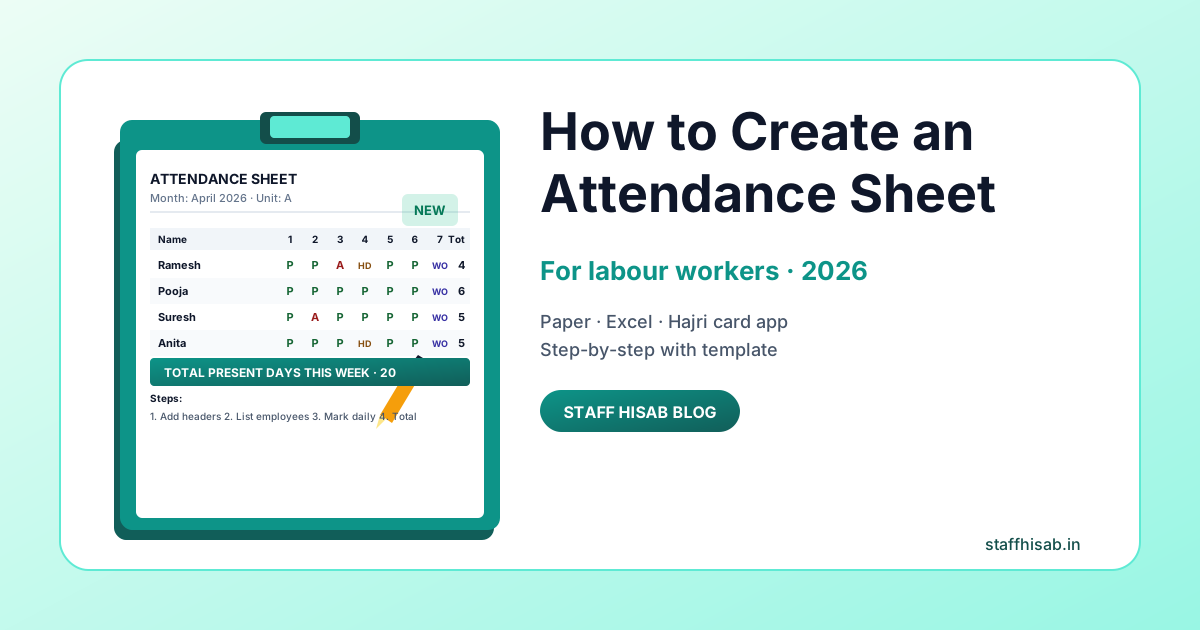
Complete Guide to Creating Attendance Sheets for Labour Workers
An attendance sheet is a crucial document for tracking labour attendance in any organization. Whether you're managing a factory, construction site, or retail business, maintaining accurate attendance records is essential for payroll, compliance, and workforce management.
Why Attendance Sheets Matter
Before we dive into how to create one, let's understand why attendance sheets are important:
- Calculate accurate monthly salaries based on working days
- Track overtime and extra working hours
- Maintain legal compliance with labor laws
- Identify patterns in absenteeism
- Resolve salary disputes with documented proof
- Monitor workforce productivity
Essential Elements of an Attendance Sheet
A good labour attendance sheet should include:
1. Basic Employee Information
- Employee name
- Employee ID or code
- Department or unit name
- Designation or role
2. Date and Month
- Month and year clearly mentioned
- All dates of the month listed
- Day of the week (Mon, Tue, etc.)
3. Attendance Status Columns
- Present (P)
- Absent (A)
- Half Day (HD)
- Weekly Off (WO)
- Leave (L)
- Overtime (OT)
4. Summary Section
- Total working days
- Total present days
- Total half days
- Total overtime hours
- Total absent days
Step-by-Step: Creating a Manual Attendance Sheet
Method 1: Paper-Based Register
- Get a Register: Purchase a hardbound attendance register from a stationery shop
- Create Columns: Draw columns for Date, Employee Names, and Status markers
- List Employees: Write all employee names in the first column
- Mark Daily: Each day, mark P (Present), A (Absent), or other status codes
- Monthly Summary: At month-end, calculate totals for each employee
Method 2: Excel Spreadsheet
- Open Excel: Create a new spreadsheet
- Set Headers: First row - Employee details; First column - Dates
- Format Cells: Use different colors for P, A, HD, etc.
- Add Formulas: Use COUNTIF to automatically calculate totals
- Save Template: Save and reuse for each month
Method 3: Use Hajri Card Apps (Recommended)
The easiest and most efficient method is using digital hajri card apps like Staff Hisab:
- Add Employees: One-time entry of employee details
- Daily Marking: Simple tap to mark attendance status
- Auto Calculation: App automatically counts working days and overtime
- Instant Reports: Download attendance sheet as PDF anytime
- Cloud Backup: Never lose your data
Best Practices for Maintaining Attendance Sheets
1. Consistency is Key
- Mark attendance at the same time every day
- Use standardized codes (P, A, HD) consistently
- Don't skip days - mark attendance even on holidays
2. Keep It Simple
- Don't create overly complicated systems
- Use clear, readable handwriting for manual sheets
- Avoid too many categories that cause confusion
3. Regular Backups
- For paper registers: Make photocopies monthly
- For Excel: Save backup copies in multiple locations
- For digital apps: Ensure cloud sync is enabled
4. Monthly Review
- Review attendance at the end of each month
- Cross-check with employees for any discrepancies
- Keep monthly reports archived
5. Secure Storage
- Store attendance records for at least 3 years (legal requirement)
- Keep physical registers in fireproof cabinets
- Use password protection for digital files
Common Mistakes to Avoid
- Irregular Marking: Trying to fill multiple days at once leads to errors
- No Verification: Not confirming attendance with supervisors
- Poor Handwriting: Illegible entries cause confusion during payroll
- Missing Signatures: Not getting manager approval on sheets
- No Backup: Relying on a single copy without backups
- Incomplete Data: Not recording half days or overtime properly
Advantages of Digital Attendance Sheets
While manual methods work, digital solutions offer significant advantages:
| Feature | Manual Sheet | Digital App |
|---|---|---|
| Time to Mark | 5-10 minutes | 1-2 minutes |
| Calculations | Manual, error-prone | Automatic, accurate |
| Report Generation | Hours of work | Instant PDF |
| Accessibility | Physical location only | Anywhere, anytime |
| Backup | Manual copies needed | Automatic cloud backup |
Legal Requirements for Attendance Records in India
According to Indian labour laws:
- Attendance records must be maintained for all employees
- Records should be preserved for at least 3 years
- Should be available for inspection by labour authorities
- Must include accurate working hours and overtime
- Should show clearly weekly offs and public holidays
Conclusion
Creating and maintaining an attendance sheet for labour workers is essential for smooth business operations. While traditional paper-based methods work, modern hajri card apps make the process faster, more accurate, and hassle-free.
Staff Hisab combines the familiarity of traditional hajri cards with the power of digital technology, making it the perfect solution for Indian businesses of all sizes.
Simplify Your Attendance Management
Stop struggling with manual attendance sheets. Try Staff Hisab and manage your labour attendance digitally with ease.
Get Started Free