Why Every Small Business Starts With an Excel Attendance Sheet
For most Indian small businesses, the first attendance system is an Excel attendance sheet — free, easy, printable, and familiar to anyone who has used a computer. This guide gives you a solid attendance sheet format in Excel with formulas, then shows you when it is time to graduate to a proper hajri card app.
Attendance Sheet Format in Excel – Column Layout
The standard monthly attendance sheet has:
- Column A: Serial No.
- Column B: Employee Name
- Column C: Employee Code
- Column D: Department
- Columns E–AI: Dates 1 to 31 of the month
- Column AJ: Total Present (P)
- Column AK: Total Absent (A)
- Column AL: Total Half Day (HD)
- Column AM: Total OT Hours
- Column AN: Total Weekly Offs (WO)
- Column AO: Working Days
Status Codes to Use in the Daily Cells
Keep codes short so they fit in narrow columns:
- P = Present
- A = Absent
- HD = Half Day
- WO = Weekly Off
- L = Leave
- OT or a number (e.g. 2 for 2 hours) = Overtime
Excel Formulas to Auto-Calculate Totals
Paste these into the total columns for row 2 (the first employee row). Adjust column letters to match your layout.
Total Present
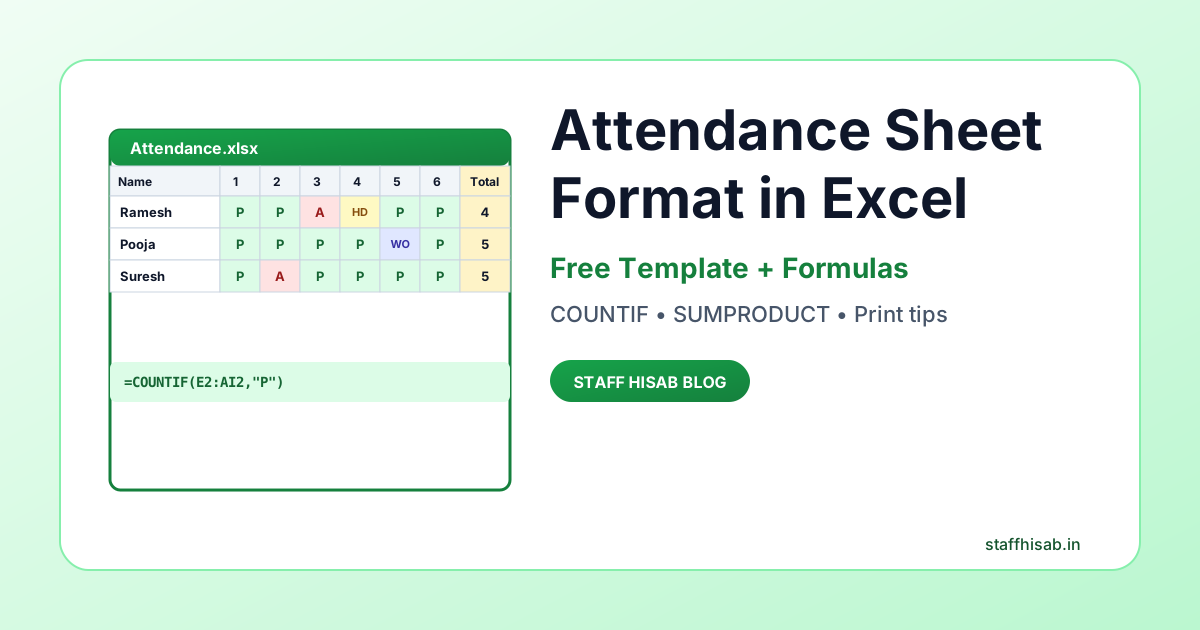
=COUNTIF(E2:AI2,"P")
Total Absent
=COUNTIF(E2:AI2,"A")
Total Half Days
=COUNTIF(E2:AI2,"HD")
Total OT Hours (if OT is entered as numbers)
=SUMPRODUCT((ISNUMBER(E2:AI2))*(E2:AI2))
Working Days for Salary
=AJ2 + (AL2 * 0.5)
Monthly Salary (with fixed per-day rate)
=AO2 * 500 ← replace 500 with daily rate
OT Pay (at 2× hourly rate)
=AM2 * (DAILY_RATE / HOURS_PER_DAY) * 2
Formatting Tips for a Clean Attendance Sheet
- Freeze panes: View → Freeze Panes → Freeze First Column + First Row so names and dates are always visible.
- Conditional formatting: Colour
Pgreen,Ared,HDyellow — makes the sheet readable at a glance. - Data validation: Only allow P / A / HD / WO / L / OT codes to be typed — prevents data-entry mistakes.
- Print area: Set rows 1:20 and columns A:AO as the print area so it prints one employee list per page.
- Page orientation: Landscape + "Fit All Columns on One Page" under Page Layout.
Monthly Attendance Sheet Format – Sample Row
| Name | 1 | 2 | 3 | 4 | 5 | 6 | 7 | P | A | HD | OT |
|---|---|---|---|---|---|---|---|---|---|---|---|
| Ramesh | P | P | A | HD | P | P | WO | 4 | 1 | 1 | 2 |
When Excel Starts to Break
Excel works well for 5–15 employees. Once you cross about 20 staff, things start to go wrong:
- Formulas get deleted accidentally when someone sorts or filters.
- Every month you have to copy last month's sheet and rename it.
- There is no audit trail — anyone can change P to A after a dispute.
- Sharing the sheet on WhatsApp creates 10 versions of the same file.
- Generating salary slips still needs a second Excel template.
- If the laptop crashes, you lose 12 months of records.
The Next Step: Hajri Card App
This is exactly the moment to move from Excel to a proper hajri card app. With Staff Hisab, you:
- Import your existing Excel sheet with one click — column mapping handled for you.
- Mark daily hajri with a tap.
- Get auto-calculated salary, OT and advance.
- Download one-click salary slip PDF.
- Keep permanent cloud backup — no more lost files.
Attendance Sheet Format in Excel – FAQ
Is an Excel attendance sheet legally valid?
Yes, if you print and sign it monthly. Labour inspectors accept Excel printouts as long as they are consistent, signed by the supervisor, and stored for at least 3 years.
How do I auto-fill dates across a month in Excel?
Type 1-Apr-2026 in the first cell, then drag the fill handle across. Excel auto-increments by one day per cell.
Can I use Google Sheets instead of Excel?
Yes. All the COUNTIF / SUMPRODUCT formulas work identically in Google Sheets, and you get automatic cloud backup and sharing for free.
How do I convert Excel attendance to a hajri card app?
Save your Excel as .xlsx, log in to Staff Hisab, go to Employees → Bulk Import, and upload the file. The app maps your columns to its own fields in one screen.
Outgrown Your Excel Attendance Sheet?
Move to Staff Hisab in a few clicks — upload your Excel, start marking hajri digitally, and get instant salary slips.
Start 14-Day Free Trial